Software & Tools
Platformer Lab
A browser laboratory for measuring and refining platformer movement.
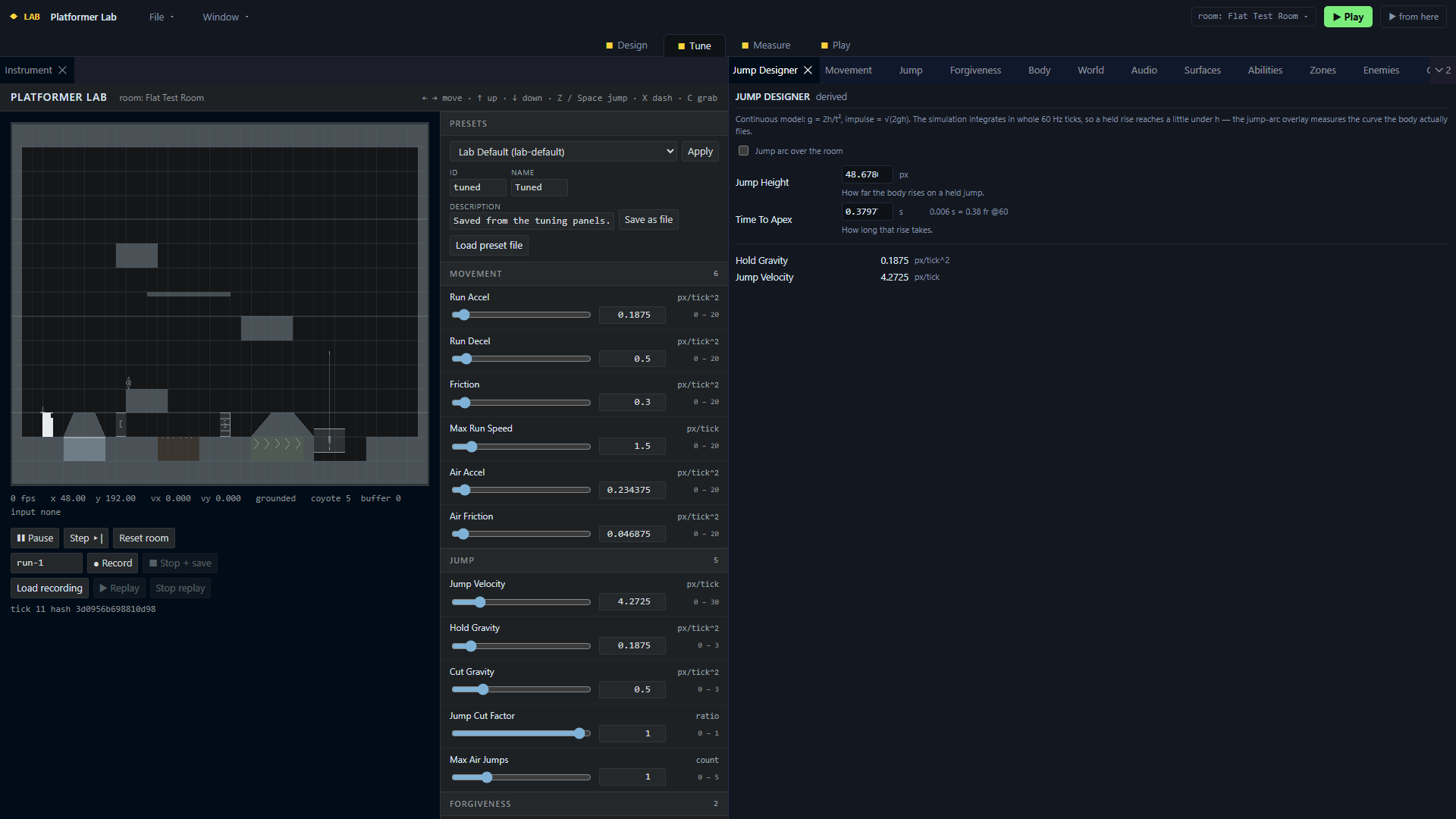
Experimental redesigned shell, September 2026. This interface has not yet replaced the original working lab.
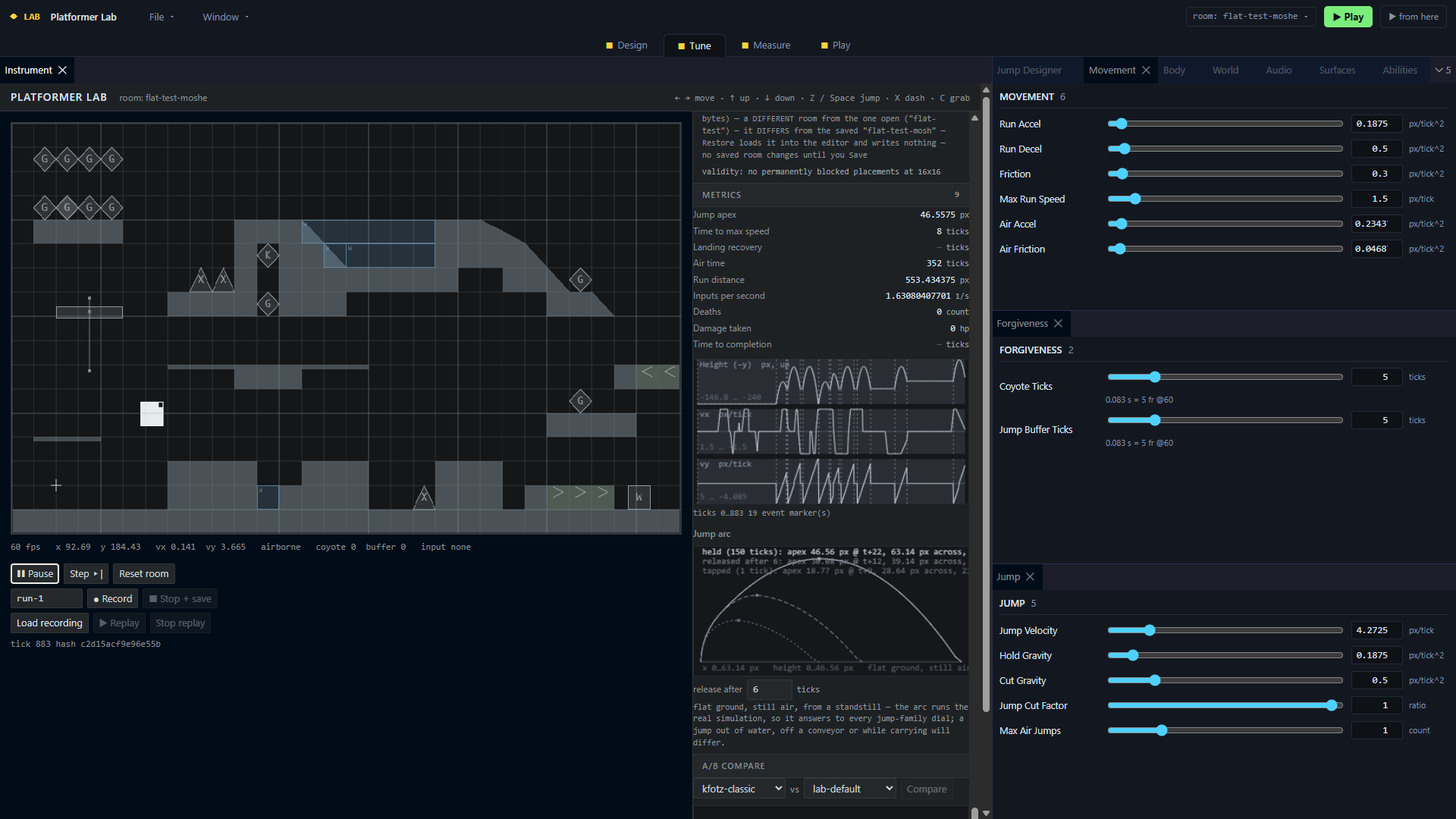
Experimental interface: movement parameters alongside a running test room, live measurements and jump curves.
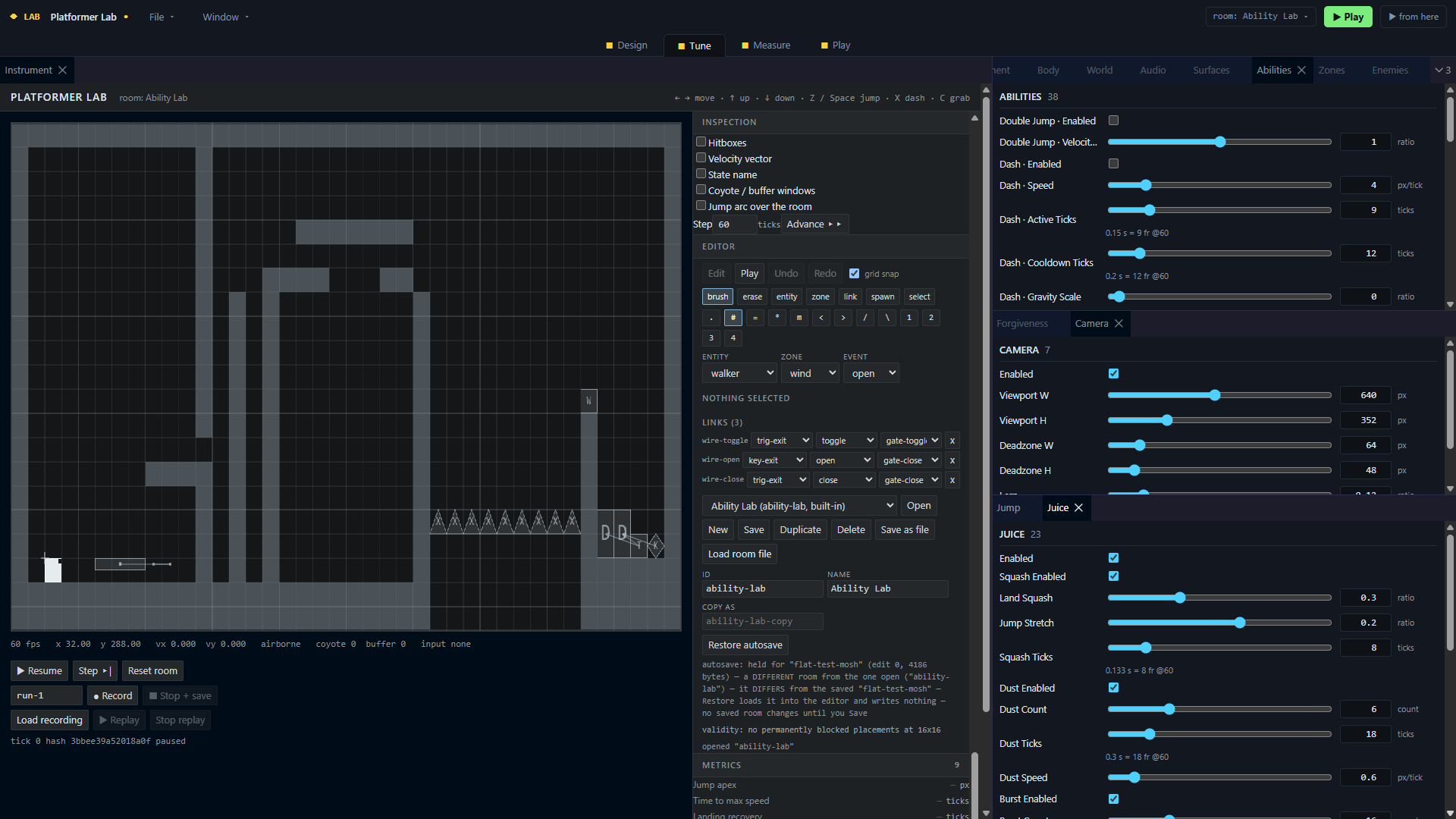
Experimental interface: a test room with controls for abilities, camera behaviour and visual feedback.
Overview
From game feel to measured evidence
A jump can feel too heavy, too floaty or difficult to control, but those impressions do not immediately reveal what to change. Platformer Lab provides a dedicated environment for adjusting movement parameters, replaying the same inputs and comparing the results.
The lab brings together a movement simulation, a room editor and measurement tools. It supports the wider platformer projects, including a preset checked against the Kfotzumhots prototype, so experiments stay connected to a concrete game.
Contribution
Designing the instrument and the development process
I defined the specification, experiment goals and acceptance criteria, then directed an AI-agent development process with separate building and review roles. The agents implemented the code; I made milestone decisions and carried out the manual checks.
The first implementation showed why reliable simulation and usable software need different criteria. I directed a second pass focused on the steps needed to create rooms, tune movement and organise experiments, alongside improvements to the interface.
Current state
A working lab with an evolving interface
The public alpha supports deterministic movement simulation, input recording and replay, live parameter tuning and A/B comparisons with ghost trails. Movement presets, live measurements and data exports make it possible to repeat and inspect an experiment. A room editor provides surfaces, entities and test environments.
The working lab and the experimental redesigned interface remain separate versions. The screenshots show the interface improvement work, including panels for tuning and inspecting the simulation. You can try the working lab in your browser while the redesigned interface continues to evolve.
Toolkit
Tools and methods
The simulation and original interface use TypeScript and HTML5 Canvas, with Vite and Vitest for development and testing. The experimental shell adds React and dockable panels. Deterministic replay, automated checks and manual usability tests support the design process.
Next
Make experiments easier to build and compare
Review the new experiment-variant controls in the experimental interface, then continue simplifying the workflow from creating a room to tuning movement and comparing results.

Contact
Let’s connect.
Open to new opportunities and new connections.