Software & Tools
WorkSpace
An open canvas for writing, sketching and organising ideas.
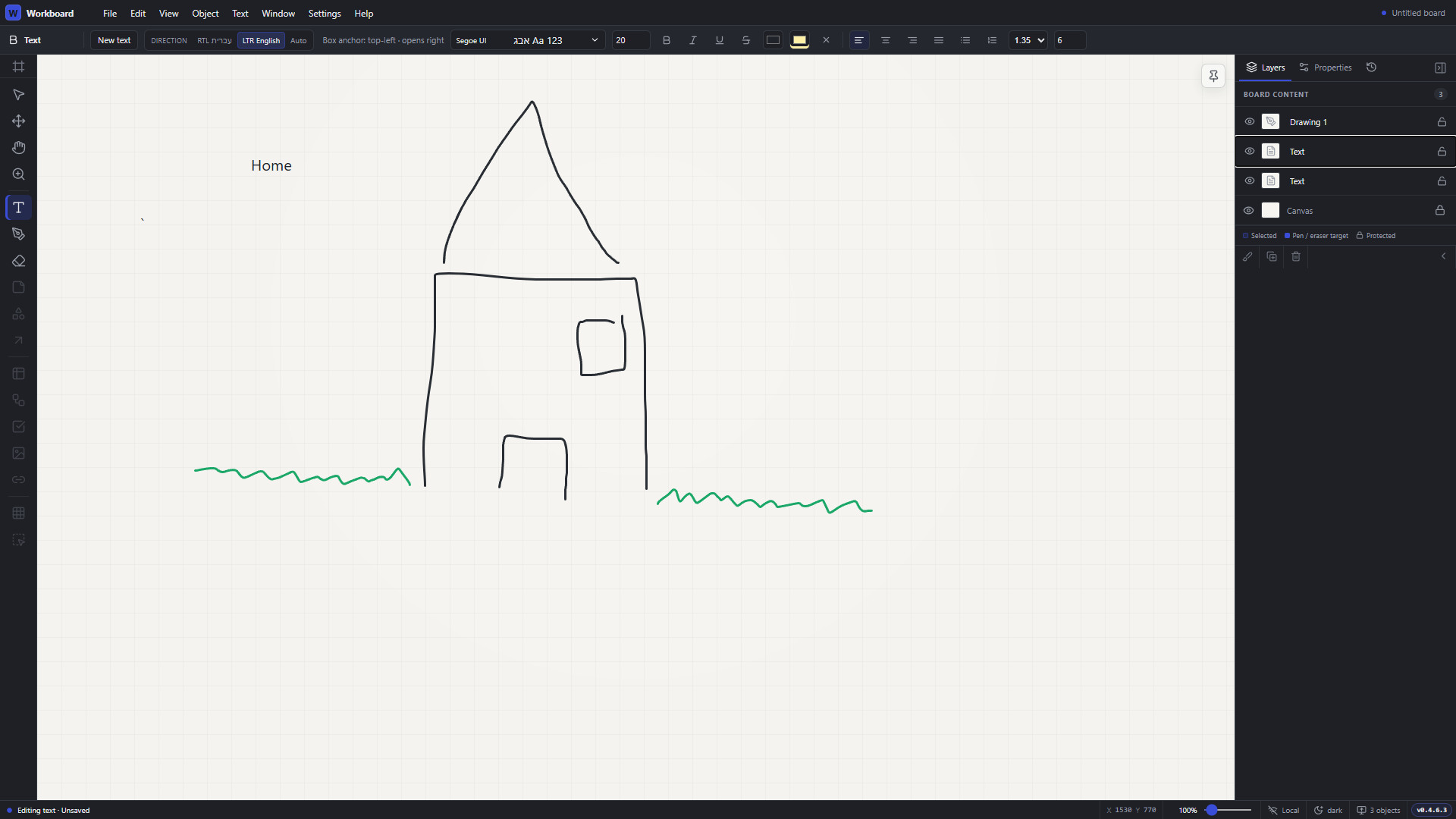
Writing and drawing on the same board, with separate text and drawing layers.
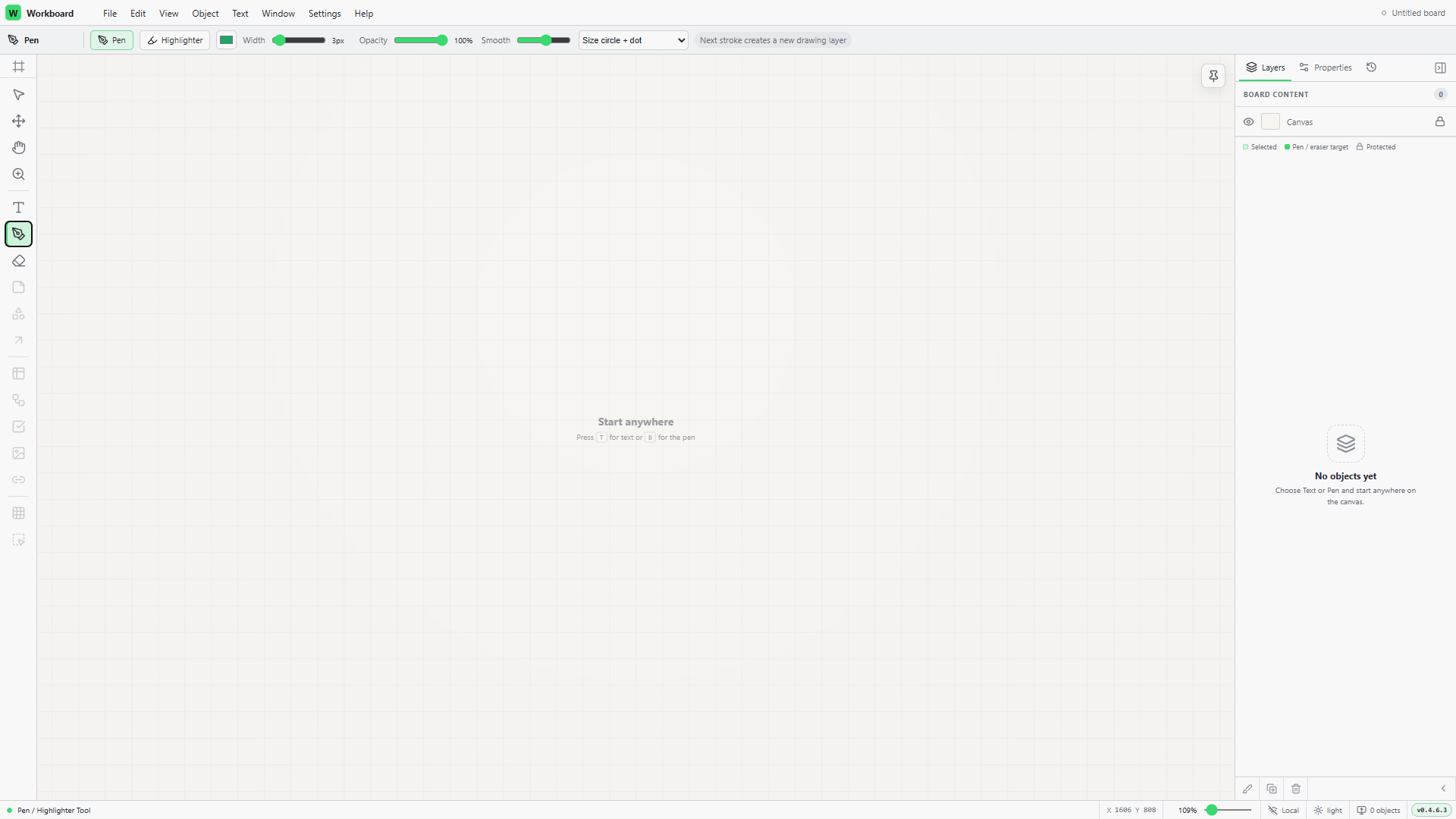
The light workspace, with pen settings above the canvas and the layers panel beside it.
Overview
Room to think beyond the page
WorkSpace is designed as a digital notebook that can stay beside other applications: click anywhere to write, sketch an idea and arrange the pieces as your thinking develops. An infinite canvas gives notes room to grow without a fixed page layout.
Text stays editable, and drawings remain separate paths that can be moved and organised in layers. Hebrew, English and mixed-direction writing are part of the editing requirements from the outset.
Contribution
Shaping the way the tools behave
I direct the product, define interaction requirements and test the application by using it. Development is an AI-assisted collaboration, with my decisions and feedback guiding the behaviour of the tools and the order of improvements.
Much of this work concerns small but consequential interactions: preserving a text selection while changing fonts, keeping drawing tools usable over text, and separating selection from movement to avoid accidental edits. I also helped define how undo should work within a text-editing session and across the board as a whole.
Current state
A working canvas, still being refined
The current release candidate supports writing, freehand drawing, highlighting, canvas navigation and zoom. Layers can be arranged, hidden and locked, and boards can be saved locally. Text editing has its own undo history, while a completed editing session becomes a single operation in the board history.
I’m continuing to refine everyday editing, with further work on the eraser and desktop file handling. Image support, tabs and full rich-text formatting are planned extensions.
Toolkit
Tools and methods
Built with TypeScript and React, using SVG for editable drawing paths, Zustand for application state and Zod for board-file validation. A Tauri shell provides the intended desktop environment; development and testing also take place in the browser.
Next
Make the everyday tools dependable
Continue refining the editing experience and vector eraser, before expanding into image support, desktop file workflows and multiple boards in tabs.

Contact
Let’s connect.
Open to new opportunities and new connections.